
Build the order
Search the menu, choose items, adjust quantities, hold the cart, or return to an active order.
Restaurant point of sale
Take orders, complete checkout, send KOTs, print receipts, and control the register from one focused billing app.
For restaurants, cafes, quick-service teams, and food counters.
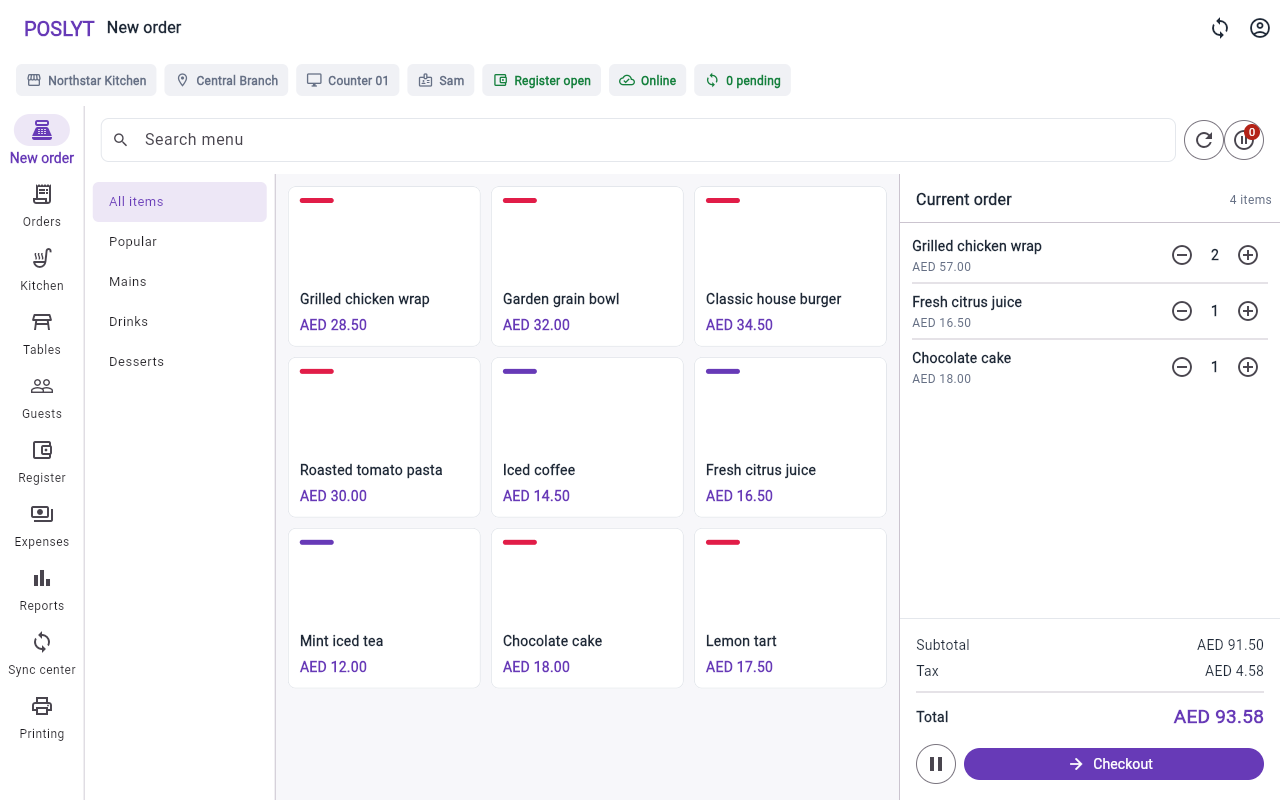
Billing stays at the center
The billing surface
Categories, menu search, products, the current order, tax, discounts, and checkout share one operating surface. Merchant, branch, terminal, staff, register, and sync state stay in view throughout the shift.
From order to service
Each high-frequency action stays close to the transaction, without sending staff through a back-office workflow.
Search the menu, choose items, adjust quantities, hold the cart, or return to an active order.
Select order type, table, guest, discount, and supported payment method in one flow.
Move kitchen work into a clear queue and follow open tickets through completion.
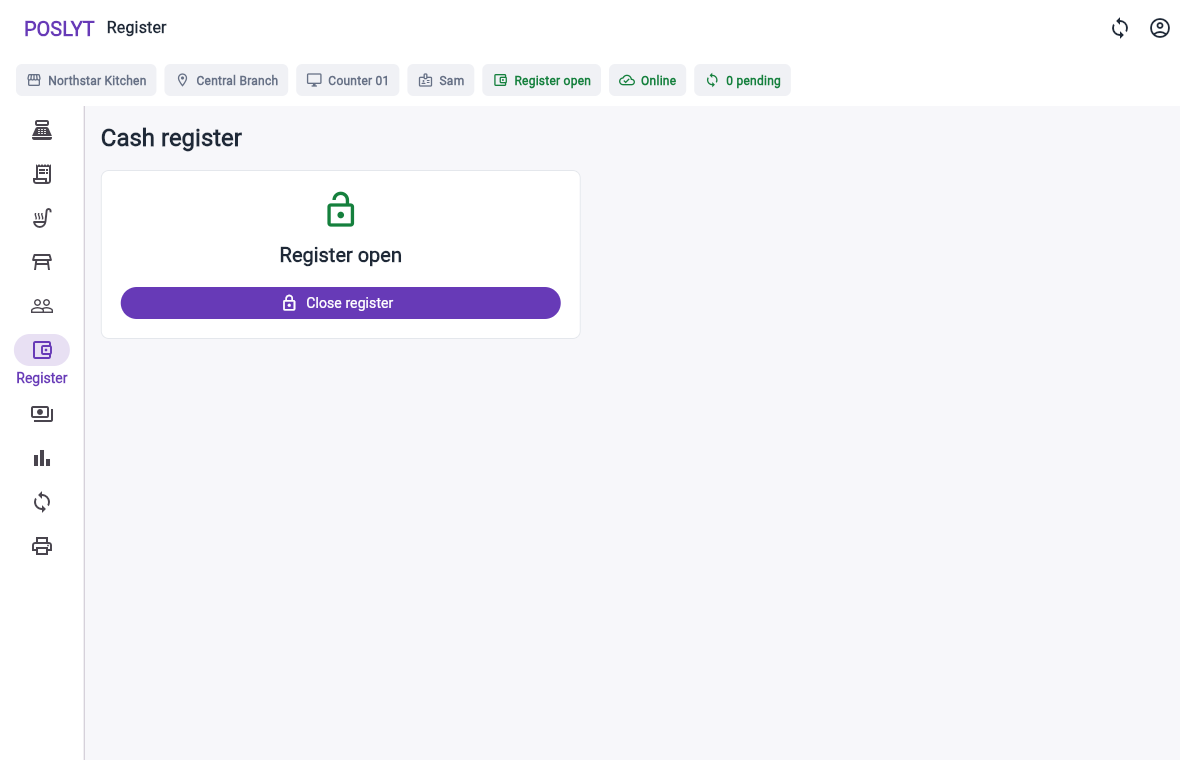
Use supported receipt output and keep the register state tied to the operating shift.
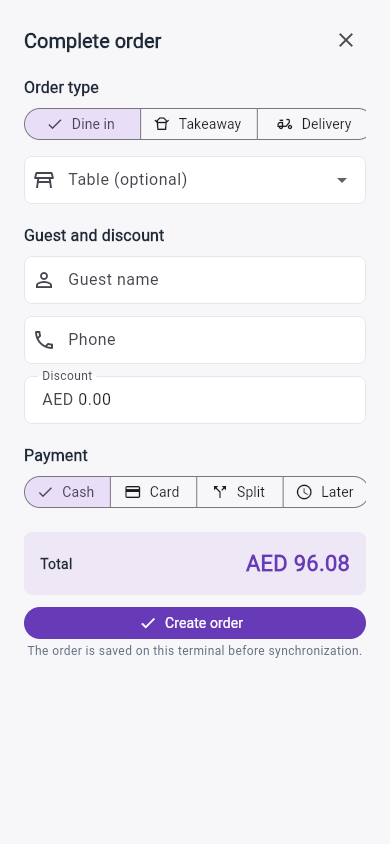
Checkout
Dine-in, takeaway, delivery, table, guest, discount, and payment choices stay together in a phone-ready checkout.
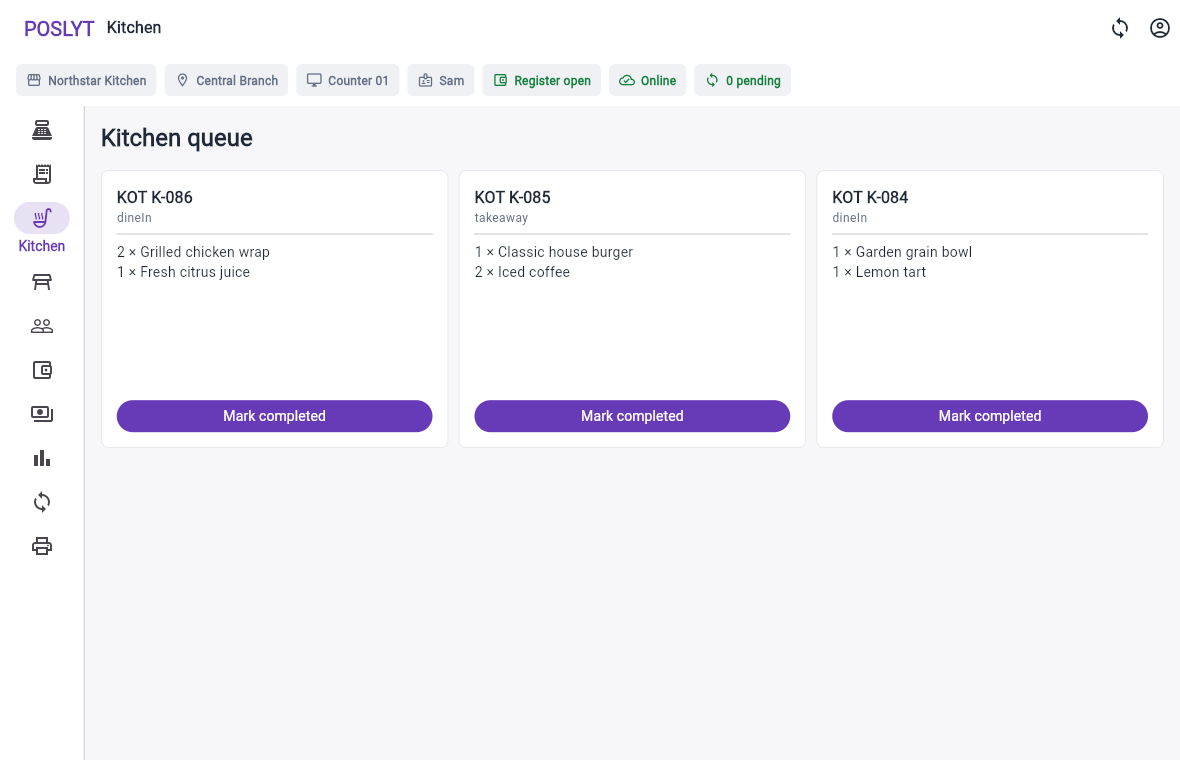
Kitchen
Open orders appear as kitchen tickets with order type, line quantities, and one clear completion action.
Shift control
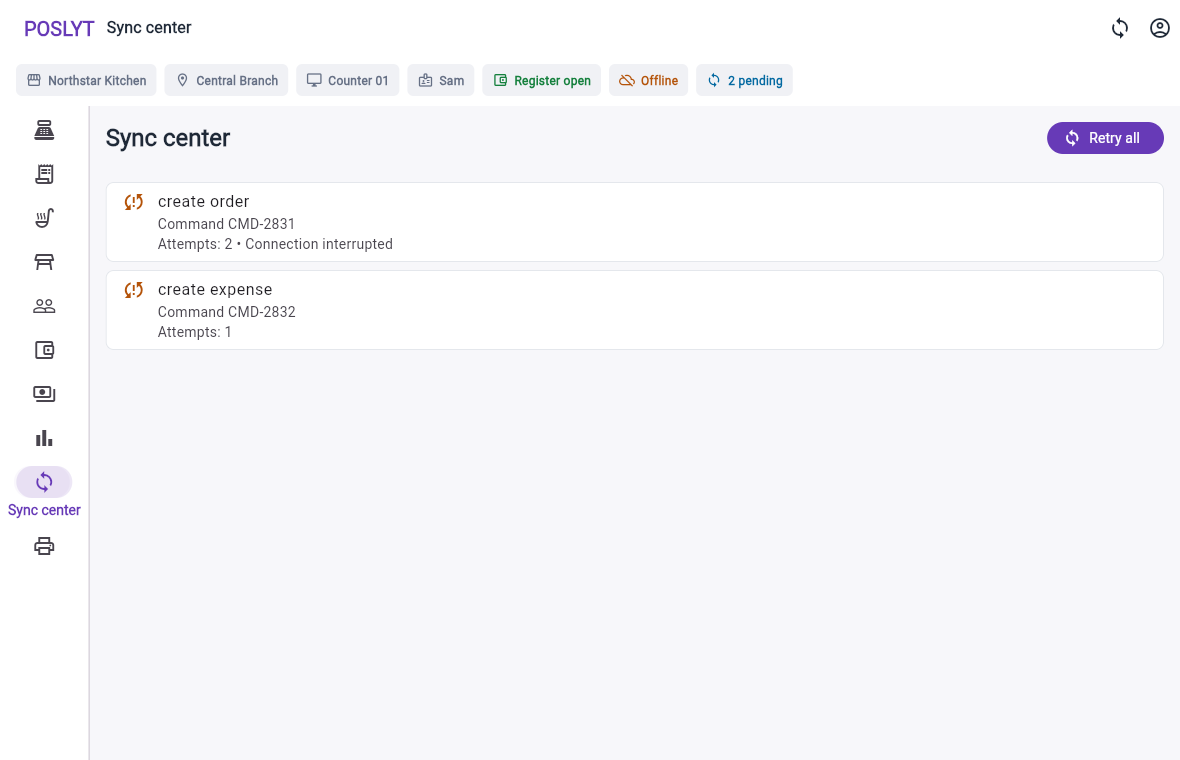
Supported orders are saved on the terminal before synchronization. Staff can see pending work, retry failed commands, and keep register state explicit.
Daily POS workflows
Poslyt keeps service tools on the terminal and moves business configuration out of the billing queue.
Create and return to operational orders while keeping bill, guest, and table context attached.
Route kitchen work, follow ticket state, and use supported thermal or system output.
Complete cash, split, pay-later, or externally processed card transactions.
Keep register state, movements, expenses, and reconciliation differences visible.
Save supported work locally, retain stable command identity, and recover transparently.
Expose supported Android thermal integrations and appropriate system, PDF, browser, or network paths elsewhere.
Explore Poslyt
Go directly to the restaurant operation or market context you need to evaluate.
Understand local work, retries, and recovery.
KitchenCarry readable order context into preparation.
Shift controlOpen, operate, reconcile, and close.
IndiaExplore billing for Indian restaurant operations.
UAEReview UAE service and branch workflows.
GuidesUse practical buying guides and checklists.
Included management companion
Owners and managers configure menus, branches, staff permissions, taxes, receipts, and terminals away from the billing screen, then follow branch-aware orders and operations.
Tell us about your counters, order types, kitchen flow, printing hardware, and connectivity.